Play together.
See each other.
Together Mode connects Velocity's game library with FaceTime. The game is on screen. Your family is on screen. It feels like the same room — no matter the distance.
How it works
One person plays. Everyone watches. Perfect for story games, showing off a high score, or introducing someone to a classic they've never seen.
Game fills 70% of the screen. FaceTime feeds on the right. You see their face light up when something happens.
Best for
Any distance. Any age. Any game.
Together Mode works across generations and time zones. The game is just the reason to be together.
Grandparent + grandchild
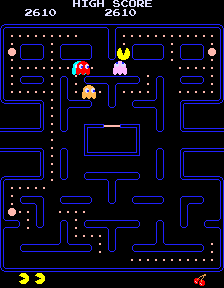
Any distanceGrandma in Phoenix sees her grandson's Pac-Man run in real time. He can hear her root for him. She remembers playing this in an actual arcade. He's hearing about it for the first time.
Siblings apart
Different citiesStreet Fighter II. Brothers. One in Chicago, one in Austin. The trash talk is real. The rematches are guaranteed. The game is the excuse to spend an hour together.
Family game night
Mixed agesFour people in Gauntlet. Everyone has a role — Warrior, Valkyrie, Wizard, Elf. Nobody needs to be a gamer. Everyone needs food badly.
Friends across time zones
AnywhereTetris head-to-head. Competitive ladder that updates live. The shared screen means you can watch each other panic in real time as the pieces speed up.
Two ways to connect
Together Mode works with FaceTime for anyone. Add FamilyCloud for a deeper experience — persistent cameras, no call required.
FaceTime
AnyoneStart a FaceTime call, launch a game in Velocity, and Together Mode activates. Works with any Apple device. No additional software needed.
FamilyCloud
BundleFamilyCloud cameras are always on when family is home. Open Velocity, start a game — shared cameras appear automatically. No call to start, no one to invite.
Per-camera privacy controls — each camera is private by default. You choose exactly which cameras family members can see.
Once connected
Launch a game
Open any game in Velocity. Together Mode detects your camera source — FaceTime call or FamilyCloud — and activates automatically.
Choose your mode
Watch Together, Play Together, or Co-op. Velocity arranges the layout and configures audio.
Play
The game and the camera feeds are both on screen. Everyone hears everything simultaneously — no muting, no prioritisation.
All voices simultaneously
Three people talking at once — all three heard. No voice priority, no suppression. Exactly like being in the same room.
Game audio stays on
The game audio ducks slightly (never mutes) when voices are active. You still hear the game. You still hear each other.
Spatial audio
On AirPods and spatial-capable devices, voices are positioned around you directionally. Dad left, sister right, game straight ahead.
Reactions over live video
Emoji and text reactions appear as overlays on the live camera feeds — not instead of them. You see the face and the reaction together.
Ready to play together?
Together Mode ships with Velocity. Any Apple Silicon Mac. Any FaceTime call. Any game in the library.